
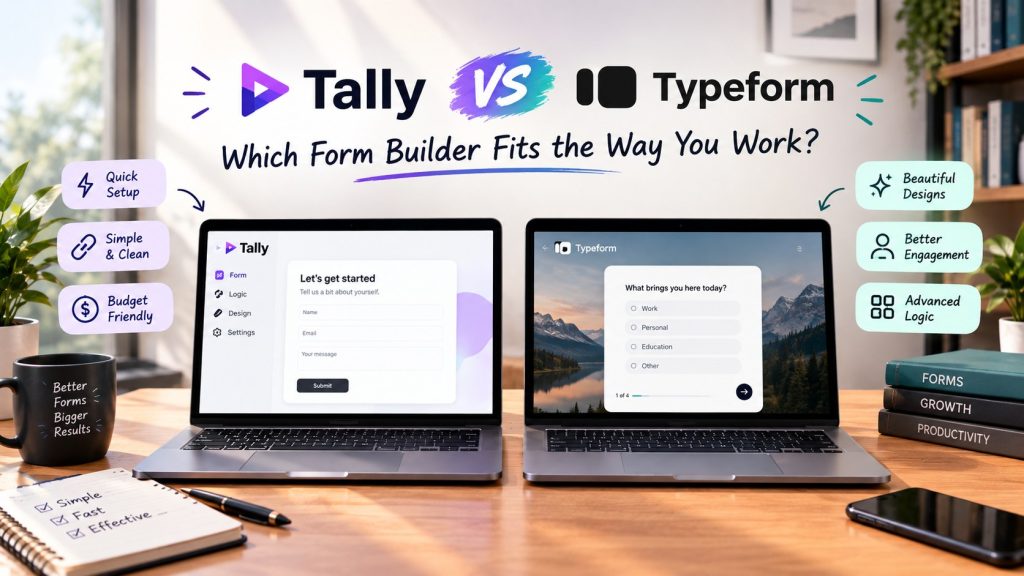
Tally vs Typeform is the form builder comparison that comes down to one question: should you pay for every response you collect? Tally gives you unlimited forms and unlimited submissions on a free plan that most people never outgrow. Typeform shows one question at a time in the prettiest forms on the market, then charges you by the response on every paid tier.
We opened free accounts with both tools and checked every price and limit on the official pricing pages in October 2026, so the numbers below are current, not copied from older comparison posts.
The quick facts
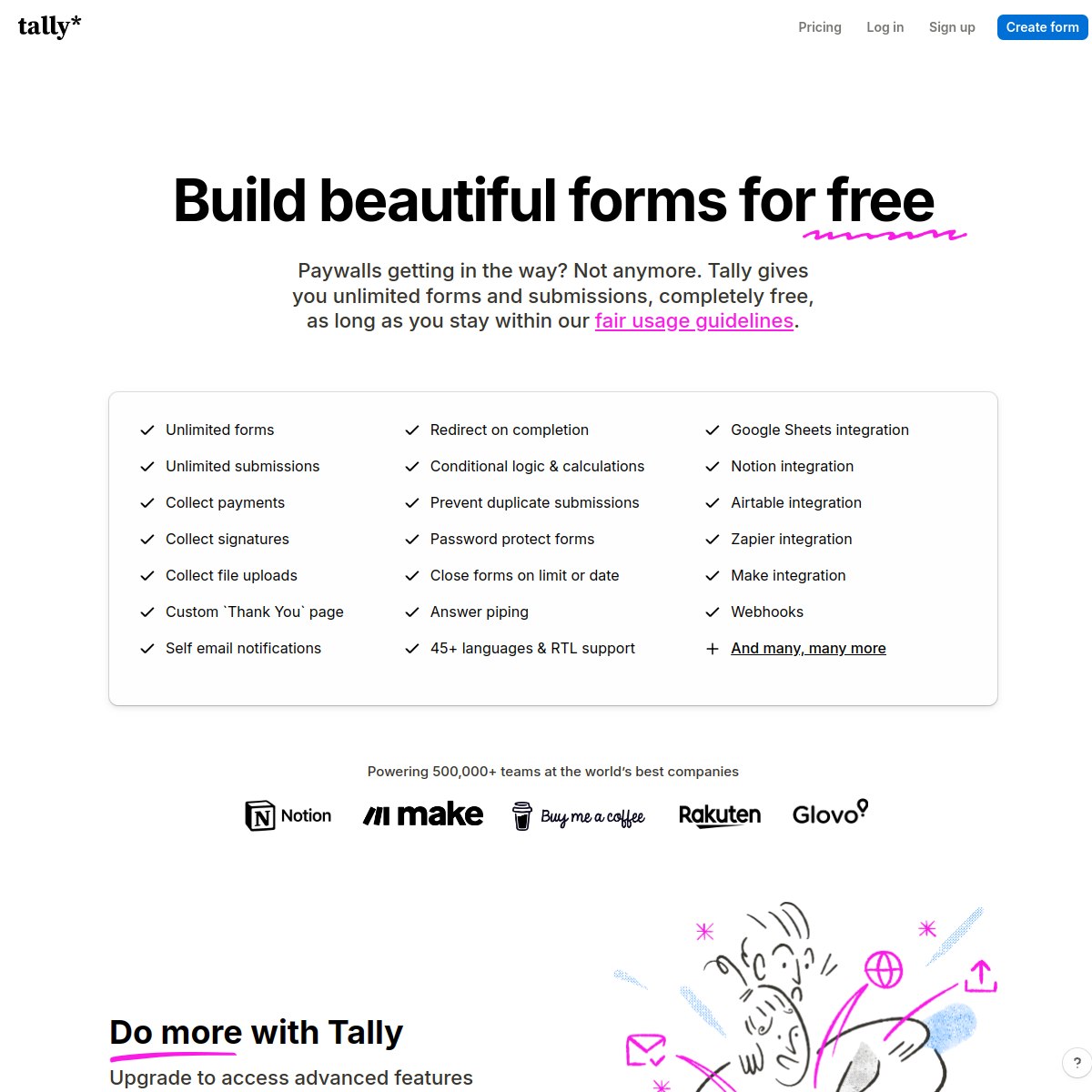
- Tally free plan: $0, unlimited forms, unlimited submissions, payments and integrations included, fair usage guidelines apply
- Typeform free plan: $0, a small starter allowance of 10 responses a month, 1 user
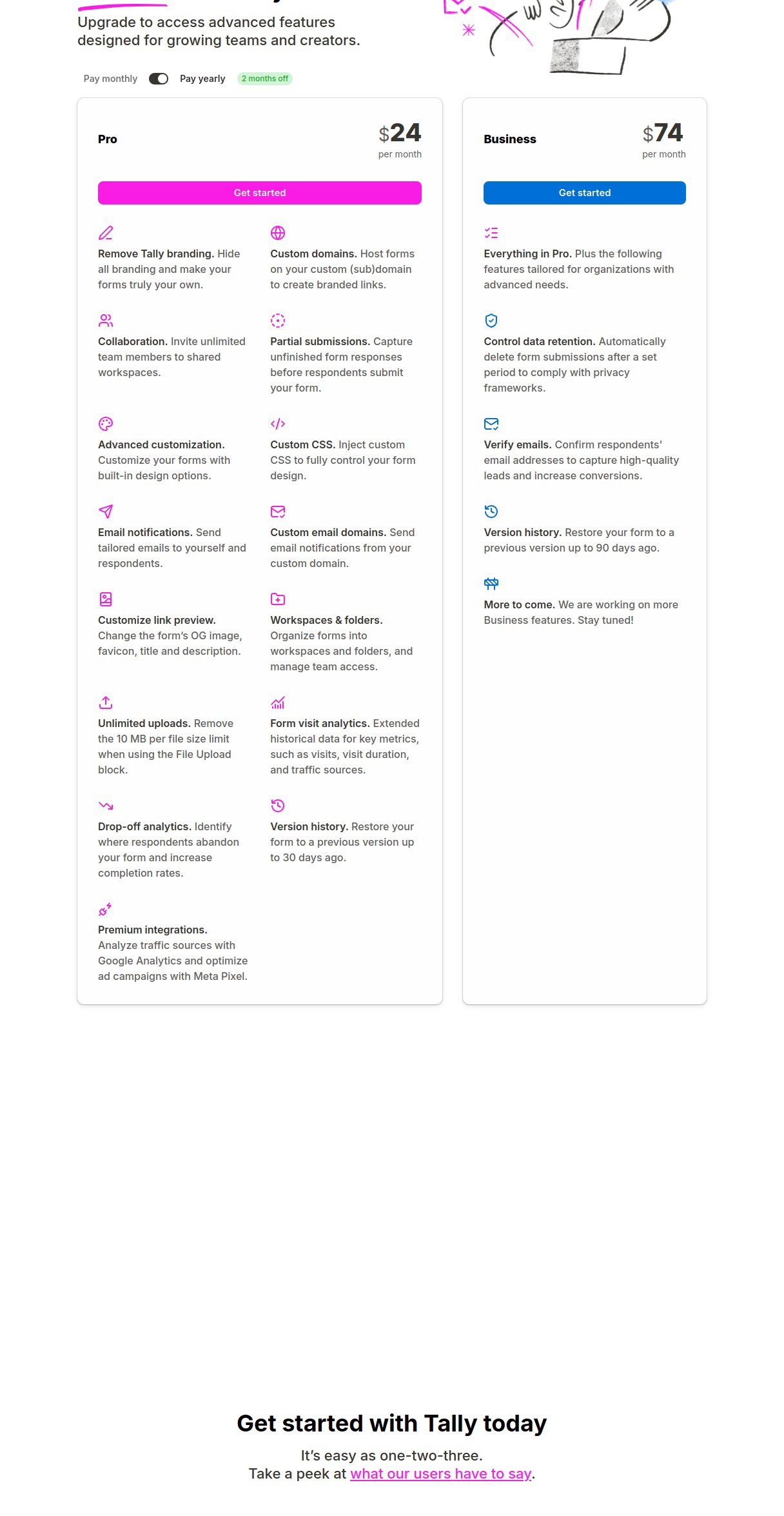
- Tally paid plans: Pro $29 a month on monthly billing or $24 a month billed yearly, Business $89 or $74
- Typeform paid plans: Basic is $28 a month when billed yearly ($39 month to month) and includes 100 responses monthly; Plus is $56 yearly billed ($79 monthly) with a 1,000 response limit; Business is $91 yearly billed ($129 monthly) with 10,000 responses
- Form style: Tally uses a page like document editor; Typeform presents a single question per screen in a conversational flow
The one difference that matters: response caps
Most form builders look similar until you read how they charge. Tally charges for workspace features: removing its branding, using a custom domain, advanced customization. How many answers you collect does not drive the price. Typeform charges for volume itself. Every paid tier includes a fixed number of responses per month, and when your form gets popular, you move up a tier whether you wanted the extra features or not. That single design choice explains almost everything else in this Tally vs Typeform comparison, from the free plans to the yearly bills further down this page.
Tally: the free plan that behaves like a paid one
Tally’s free plan is the reason this tool keeps winning word of mouth. You get unlimited forms and unlimited submissions, and the feature list reads like a paid tier elsewhere: collect payments, collect signatures, file uploads up to 10 MB per file, conditional logic and calculations, answer piping, custom thank you pages, and integrations with Google Sheets, Notion, Airtable, Zapier and Make.
Inside the free Tally workspace we created for this comparison, the plan panel set the fair use ceiling at one million requests plus 50 MB of bandwidth per month, far beyond what a form on a solo site or small business site will ever touch. The honest catches are small. Tally branding stays on free forms, and file uploads are capped per file. Paid plans exist for polish, not for permission to collect answers.
The builder itself works like a document. You write line by line, hit enter, and insert question blocks, so building feels closer to drafting a document than configuring software. A whole form is visible on one screen, so long forms with branching logic stay manageable. It is fast, keyboard friendly, and the learning curve is measured in minutes. The trade off is visual: Tally forms are clean and minimal, but they do not have the cinematic full screen question by question flow that made Typeform famous.
Typeform: the prettiest forms, priced per response
Typeform built its name on a simple idea: show one question at a time, with generous spacing and smooth transitions. People enjoy completing Typeform forms, and completion rates are the metric its fans cite. The builder includes a large template gallery, logic jumps, calculations, and an AI feature that drafts a form from a prompt. On the Business tier you also get drop off analytics that show where respondents abandon your form, which is genuinely useful for optimizing long surveys.
The price of that polish is the meter. The free tier only allows ten responses each month, so it works as a trial rather than a working plan. Basic, the first paid tier, allows 100 responses a month for $28 on yearly billing ($39 monthly). Need 1,000 responses? That is Plus at $56 a month yearly ($79 monthly). At 10,000 responses a month you are on Business at $91 a month yearly ($129 monthly). Every tier also caps users: 1 on Basic, 3 on Plus, 5 on Business. If a form goes viral, you pay for the privilege.
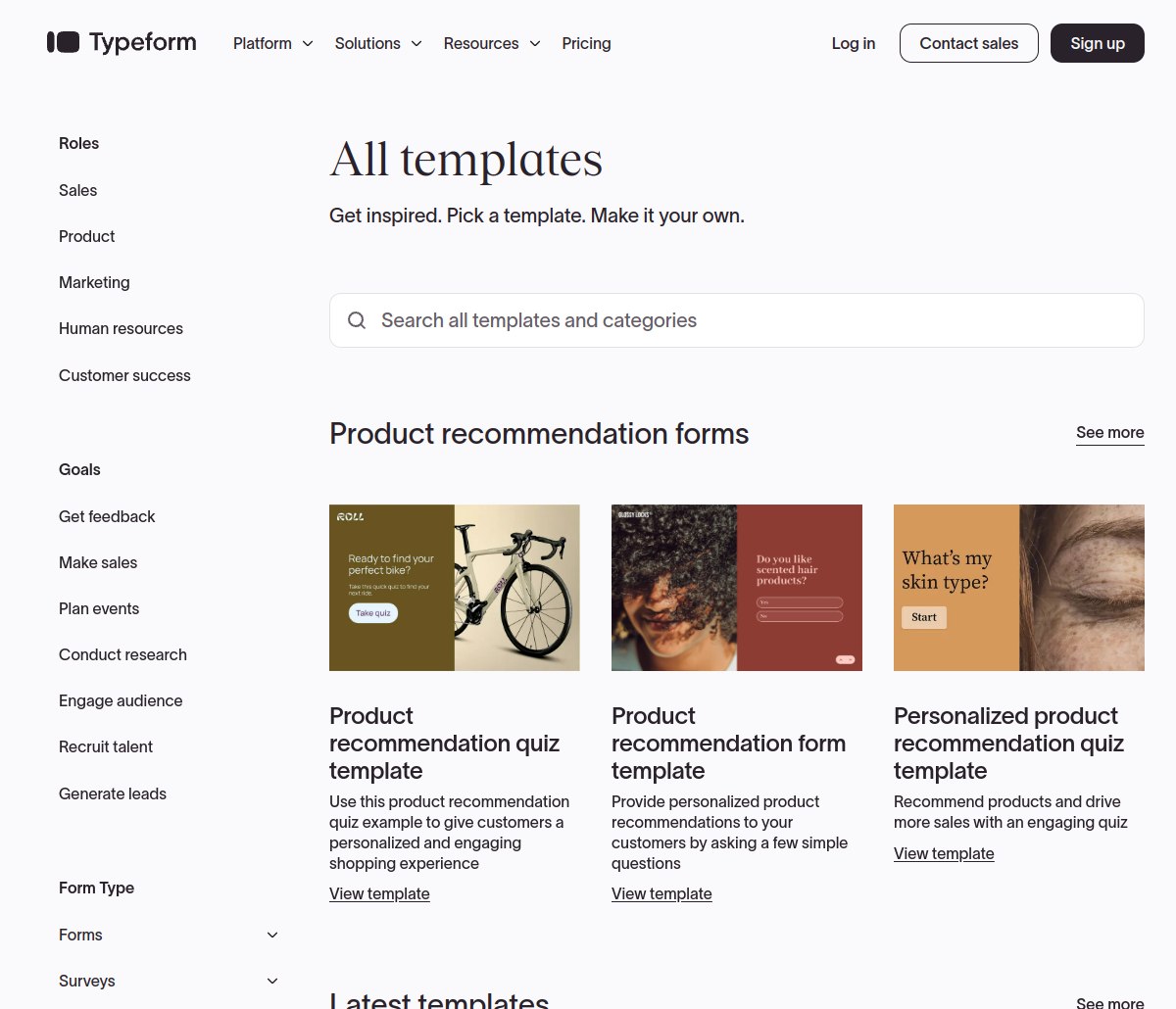
On Typeform, your bill grows with every answer you receive. On Tally, it usually does not.
Tally vs Typeform pricing, checked October 2026
Here are both Tally vs Typeform price lists side by side, taken from the official pricing pages on the day we checked.
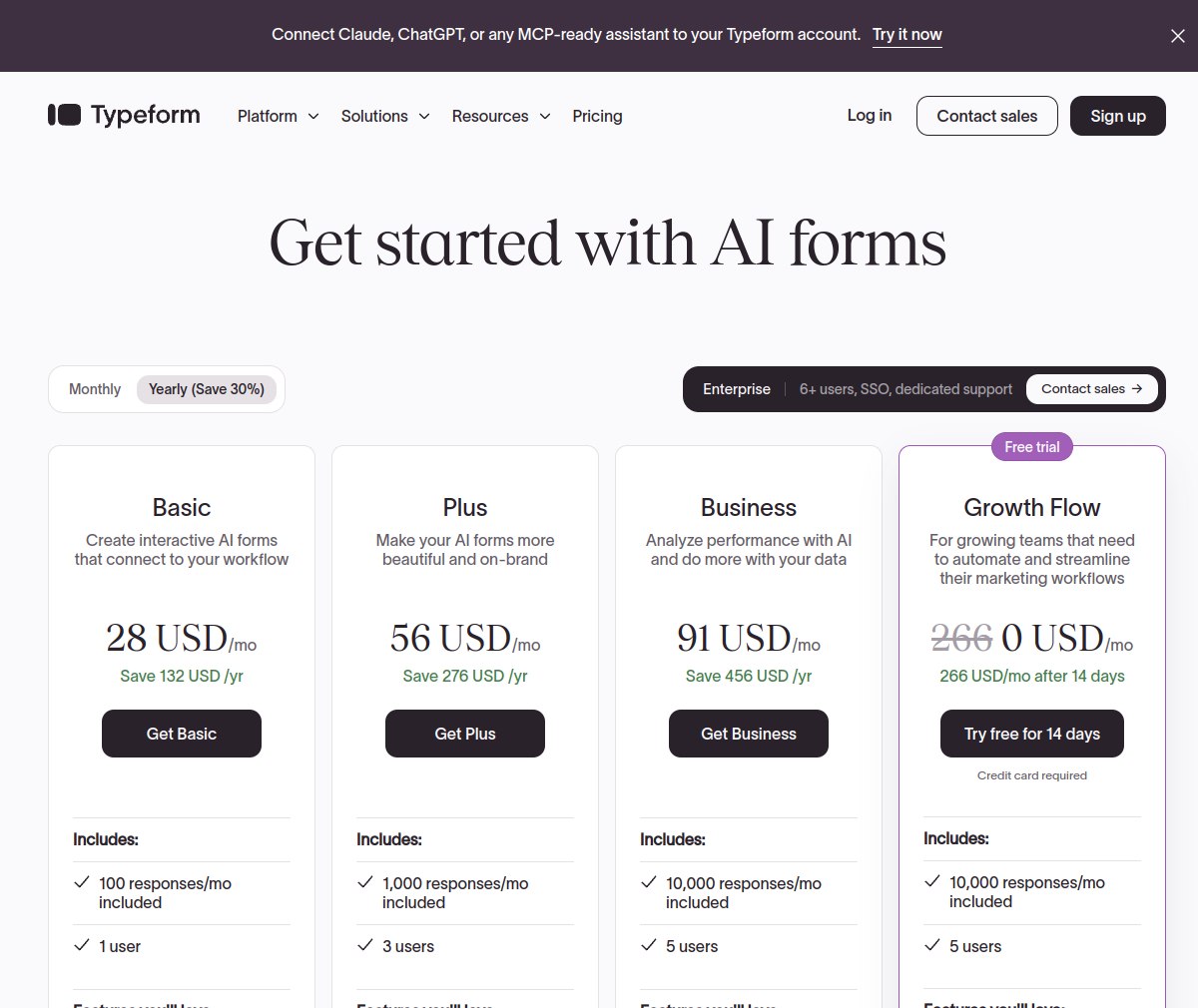
| Plan | Tally | Typeform |
|---|---|---|
| Free | $0, unlimited forms and submissions (fair usage) | $0, 10 responses a month, 1 user |
| First paid tier | Pro $24/mo yearly, $29 monthly: branding removed, custom domains, unlimited team members | Basic $28/mo yearly, $39 monthly: 100 responses a month, 1 user |
| Mid tier | Business $74/mo yearly, $89 monthly: data retention control, email verification | Plus $56/mo yearly, $79 monthly: 3 users, branding can be removed, response allowance of 1,000 a month |
| Top standard tier | Business is the top standard tier | Business $91/mo yearly, $129 monthly: 5 users included, analytics for drop offs and conversions, monthly allowance of 10,000 responses |
On Typeform, your bill grows with every answer you receive. On Tally, it usually does not, and the yearly math shows how wide the gap gets once responses climb.
What a year actually costs
Say your forms collect a steady number of responses each month and you pay yearly, one user. These are the annual Tally vs Typeform totals from the official pricing pages.
| Responses per month | Tally | Typeform | You save with Tally |
|---|---|---|---|
| 100 | $0 (Free) | $336 a year (Basic) | $336 a year |
| 1,000 | $0 (Free), or $288 a year (Pro) | $672 a year (Plus) | $384 to $672 a year |
| 10,000 | $288 a year (Pro) | $1,092 a year (Business) | $804 a year |
There is no row in this table where Typeform is cheaper. Its case rests on experience and analytics, not on price.
Why people go looking for Typeform alternatives
Search for Typeform alternatives and the same story repeats: a form took off, the response cap arrived mid month, and the upgrade felt like a ransom. Tally is the name that comes up most, because its free plan removes the exact pain point. Other alternatives exist, but few match Tally’s combination of unlimited responses and a genuinely free tier.
Tally pros and cons
Tally pros
- Unlimited forms and submissions on the free plan
- Payments, signatures, file uploads and logic included free
- Fast document style builder, whole form visible at once
- Paid plans priced for features, not response volume
Tally cons
- Branding stays on forms until you pay for Pro
- Designs are clean but plainer than Typeform’s
- No drop off analytics on the free plan
Typeform pros and cons
Typeform pros
- One question at a time format people enjoy finishing
- Beautiful templates and strong brand polish
- Drop off and conversion analytics on Business
- AI form creation drafts forms from a prompt
Typeform cons
- Every tier is capped by responses per month
- Free plan stops at 10 responses a month
- Removing Typeform branding requires Plus or higher
- Pricier than Tally at each response level we costed
Which one fits you
Choose Tally if your forms support your own website, lead capture, orders or feedback and you do not want a monthly response counter deciding when you must upgrade. If your forms are a brand experience, if completion rate is your north star metric, and you can point to the revenue that a prettier form earns, Typeform’s premium starts to make sense. For everyone else, the Tally vs Typeform free plan comparison is not close.
Our verdict
For most solo users and small sites, Tally is the one to pick: its free plan removes the response cap that defines Typeform’s pricing, and its paid plans stay cheaper at every volume. Tally scores 8.9 out of 10. Typeform scores 8.2 out of 10: it makes the forms people most enjoy completing, and if you can prove that polish converts for you, the premium is justifiable. For everyone else, it is a tax on success.
How we checked
For this Tally vs Typeform comparison, we opened free accounts with both Tally and Typeform, read the plan details inside each account, and cross checked every price and limit against the official pricing pages in October 2026. Screenshots in this article are from those official pages.
Frequently asked questions
Is Tally really free with unlimited submissions?
Yes. Tally’s free plan includes unlimited forms and unlimited submissions, along with payments, signatures, file uploads and logic included free.
How many responses does the Typeform free plan allow?
The allowance is ten responses per month for a single user. It is enough to test the builder and share a form with a few people.
Is Typeform worth $28 a month?
Basic at $28 a month on yearly billing buys 100 responses a month, unlimited forms and AI form creation.
Can I move from Typeform to Tally?
Yes, by rebuilding your forms in Tally’s builder, which is quick for most forms because the editor works like a document.
Sources: Tally pricing page at tally.so/pricing and Typeform pricing page at typeform.com/pricing, checked October 2026. See our other comparisons for more head to head tests.