
On the pricing page, ClickUp and Monday.com look like twins: a free plan each, and paid plans from $9 a month on yearly billing. The bills split apart once you count what each plan actually lets you do. ClickUp’s free tier leaves tasks and members uncapped, Monday.com’s free tier closes at two people and three boards, and Monday.com bills three seats on every paid plan even when only one person signs up.
Everything below comes from the two vendors’ own pricing pages, checked in October 2026. What changes your bill is not the $9 headline, it is the cap behind it: ClickUp caps automations and AI credits, Monday.com caps seats, and both lock features behind higher tiers. Each section below therefore starts with the cap, and only then the price.
Solo founder, small team, or a whole department: the right pick here depends on team size more than on features, because the caps bite differently at each size. All of those caps are spelled out below.
Quick facts, checked October 2026
- Both paid ladders start at $9 per user or seat per month on yearly billing
- ClickUp’s free plan: unlimited tasks and members, 60 MB storage, 100 automations a month
- Monday.com’s free plan: up to 2 users and 3 boards
- Monday.com paid plans start from 3 seats: $27, $36 or $57 a month at yearly rates
- Automations flip by tier: ClickUp Business 10,000 a month, Monday Standard 250, Monday Pro 25,000
- Time tracking starts at ClickUp Core ($9) but only at Monday Pro ($19)
The two tools at a glance
| Tool | Free plan | First paid plan | You pay for | Seat rule |
|---|---|---|---|---|
| ClickUp | Yes, unlimited tasks and members | Core, $9 a month billed yearly | Feature tier, per user | No minimum stated |
| Monday.com | Yes, up to 2 users and 3 boards | Basic, $9 a month billed yearly | Feature tier, per seat | 3 seats minimum on paid plans |
Read the table by its last column. A solo buyer pays ClickUp’s $9 and Monday.com’s $27 for the entry tier, because Monday.com charges for three seats whether you need them or not. A three person team pays the same $27 on either entry tier, and from there the choice turns on automations, views and AI credits. Keep your own team size in mind as you read each section.
ClickUp: a free tier built for actual work
ClickUp packs tasks, docs, goals, chat and dashboards into one workspace, and its free plan is the most generous in this comparison. Free Forever costs $0 with no credit card required, and it covers unlimited tasks and members, unlimited docs, 5 Spaces, 40 Lists per Space and 100 automations a month. The catches are specific: storage is 60 MB, Gantt charts, time tracking, goals and dashboards are trial only on the free plan, and view-only guests are not included. For pure task tracking with a team of any size, the free plan is genuinely usable; for reporting, it pushes you toward a paid tier.
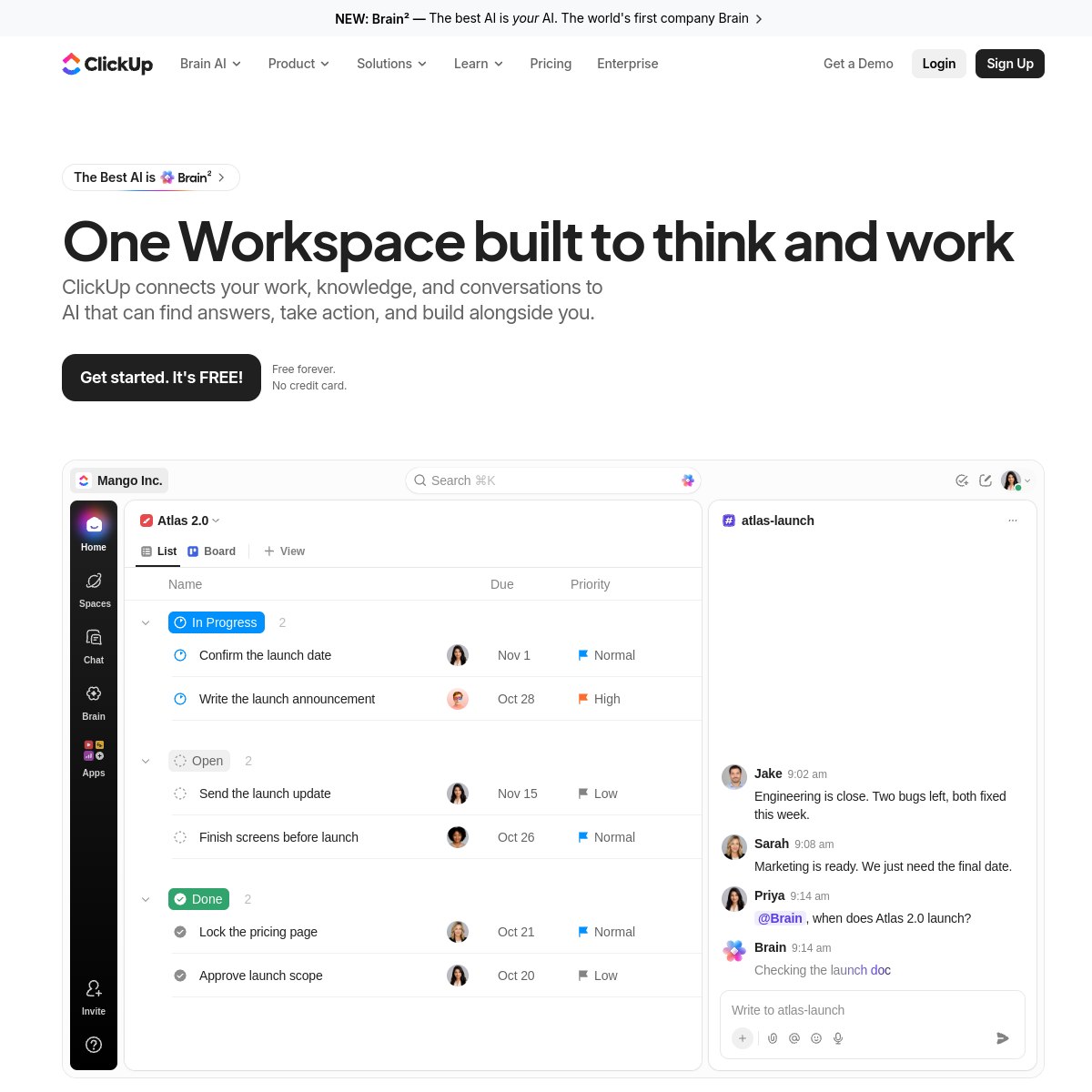
Core, at $9 per user per month billed yearly ($12 monthly), removes the free plan’s ceilings: unlimited storage, Spaces, Forms and Gantt charts, plus custom fields, goals and 1,000 automations a month. AI enters here too, with 1,000 AI credits per user per month pooled across the workspace. Business, at $17 billed yearly ($25 monthly) and marked most popular, adds advanced dashboards, webhooks, resource management, Google SSO with SMS two-factor authentication, private views and docs, timesheets and 10,000 automations a month, with 1,500 AI credits per user per month.
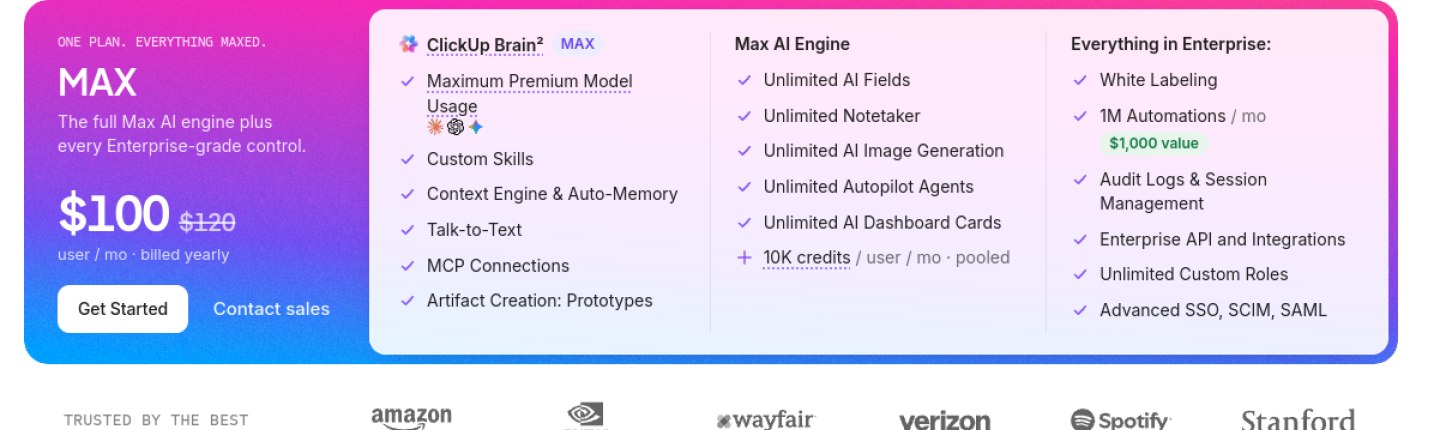
Enterprise is custom priced and adds white labeling, unlimited custom roles, SSO with SCIM and SAML, audit logs, HIPAA availability and 1,000,000 automations a month. Max, at $100 per user per month billed yearly ($120 monthly), adds the full Max AI engine on top of every Enterprise control, with 10,000 AI credits per user per month. One caution for readers: ClickUp’s pricing page is in the middle of a plan rename, and an older table showing Unlimited at $7 and Business at $12 still appears on the same page. The plans in this article are the current ones, and the screenshot below shows the Max plan from that page.
What we like
- Free plan covers unlimited tasks and members at $0
- No seat minimum, so a solo user pays the single-user price
- Business tier packs 10,000 automations a month plus timesheets and private views
What could be better
- Free plan locks Gantt, time tracking, goals and dashboards behind a trial
- The pricing page still shows an older plan table, which confuses the current prices
- Max at $100 per user per month is a steep top tier, and Enterprise pricing is custom only
Monday.com: simple boards, with a three-seat rule
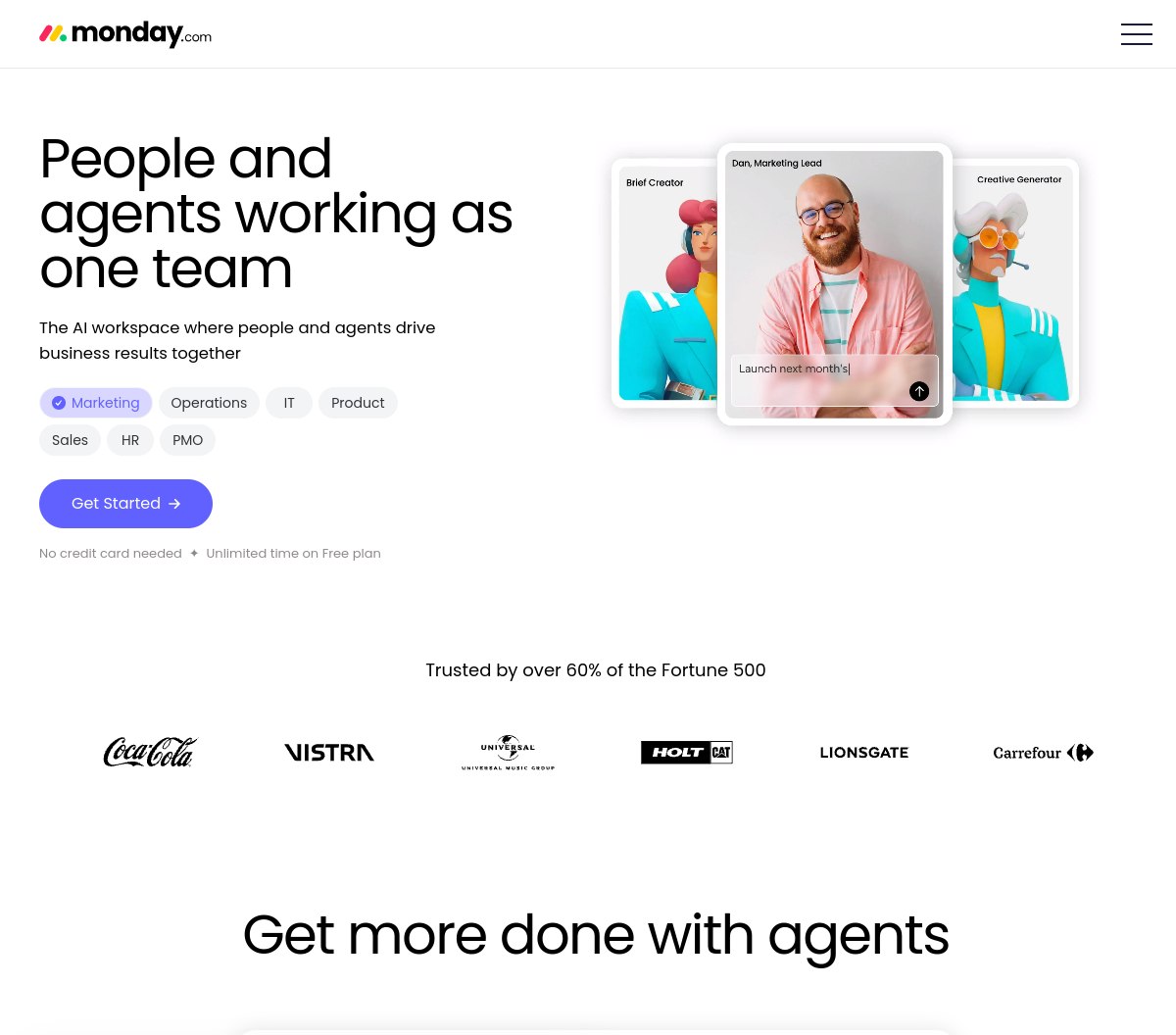
Monday.com Work Management is built around visual boards, with more than 15 views, over 200 templates and more than 30 column types. Its free plan is small by design: $0 for up to 2 users and 3 boards, with 200+ templates, 20+ column types and mobile apps. It is a way to try the boards, not a workspace to run a team on, and the official pages we checked do not state free-plan automation or storage limits, so we do not quote any.
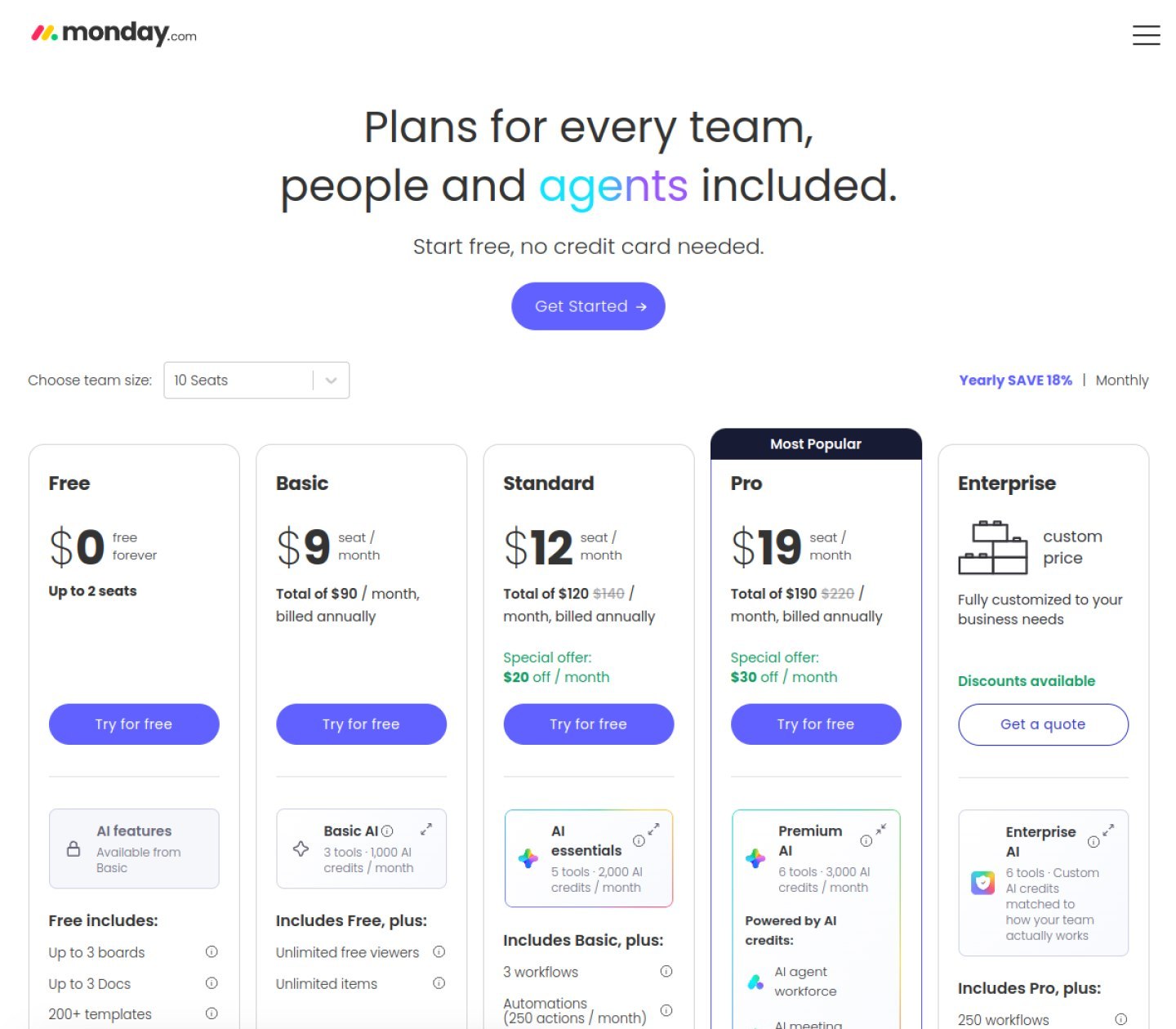
Basic runs $9 per seat a month on yearly billing and opens up unlimited items, viewers who cost nothing, and 1,000 AI credits a month. Step up to Standard at $12 and you gain Timeline, Gantt and Calendar views plus guest access, but automations stay small at 250 a month alongside 2,000 AI credits. Pro, at $19, is where the serious limits lift: private boards, time tracking, formula and dependency columns, an AI workflow builder, 25,000 automations a month and 3,000 AI credits. Enterprise has no list price and pushes automations to 250,000 a month with 20,000 or more AI credits.
Read this part twice, because it moves the most money. Monday.com will not sell you one paid seat: the smallest paid bill covers three, which works out to $27 a month for Basic, $36 for Standard and $57 for Pro on yearly billing, charged in one upfront payment that carries an 18% saving against monthly billing. You can try Pro free for 14 days without giving card details. About the screenshot below: Standard and Pro currently carry a special-offer badge with crossed-out totals on the page, and the per-seat figures quoted here are the ones shown on that page.
What we like
- Boards are visual and easy to learn, with 15+ views and 200+ templates
- Pro’s 25,000 automations a month beat ClickUp’s Business tier
- Watch-only seats are free from Basic upward, and Pro can be tested for two weeks with no card on file
What could be better
- Paid plans charge for 3 seats even if you are one person
- The free tier ends after two people and three boards
- Standard allows just 250 automations a month, and time tracking waits until Pro
One tool bills the chair you sit in. The other bills three chairs, whether anyone sits in them or not.
What a year on each tool actually costs
Entry prices flatter both tools, so here is the same comparison costed over twelve months at the rates the pages show. Monday.com’s yearly billing is paid upfront, and its paid plans always bill at least 3 seats. ClickUp’s monthly billing costs more than its yearly rates, and Monday.com’s monthly rates were not verified from its official pages, so they are left out.
| Plan | ClickUp, yearly billing | Monday.com, yearly billing |
|---|---|---|
| Free | $0 | $0 |
| Entry paid | Core, $9 per user a month | Basic, $9 per seat a month |
| Mid | Business, $17 per user a month | Standard, $12 per seat a month |
| Top paid | Max, $100 per user a month | Pro, $19 per seat a month |
| Enterprise | Custom | Custom |
For one person, the gap is stark: ClickUp Core costs $108 across the year, while Monday.com Basic costs $324, because the 3-seat minimum triples the entry price. That is a $216 difference before a single feature is compared.
For three seats, the entry tiers tie at $324 a year each, and the choice moves to the middle: ClickUp Business at $612 a year against Monday.com Standard at $432 or Pro at $684. For five seats, ClickUp Core is $540 and Business is $1,020, against Monday.com Basic at $540, Standard at $720 and Pro at $1,140. For ten seats, ClickUp Core is $1,080 and Business is $2,040, against Monday.com Basic at $1,080, Standard at $1,440 and Pro at $2,280. The pattern holds at every size: ClickUp wins the entry tier for small teams, Monday.com’s Standard undercuts ClickUp’s Business, and Monday.com’s Pro costs more than ClickUp’s Business while buying far more automations.
Head to head: where each tool wins
Free plan. On the free tier the contest is not close: ClickUp leaves task and member counts open, while Monday.com closes the door at two people and three boards. A team looking for a free home has one genuine choice here.
Seat minimum. ClickUp states no seat minimum, so a solo user pays the single-user price. Monday.com charges for 3 seats on every paid plan, which is the single biggest cost driver for small teams.
Automations. Leadership changes with the tier. In the middle, ClickUp Business runs 10,000 actions a month while Monday.com Standard manages only 250; move to Pro and Monday.com jumps to 25,000, ahead of ClickUp Business. At the top, Enterprise figures are 1,000,000 on ClickUp against 250,000 on Monday.com.
Time tracking. ClickUp includes it from Core at $9, while Monday.com holds it back to Pro at $19. Teams that bill hours feel this gap on the entry and mid tiers.
Guests and viewers. ClickUp includes guests on all plans, with view-only guests from Core up. Monday.com includes unlimited free viewers from Basic and guest access from Standard, with private boards from Pro.
AI credits. ClickUp’s allowance is per user per month pooled: 1,000 on Core, 1,500 on Business, 10,000 on Max. Monday.com’s is per month by tier: 1,000 on Basic, 2,000 on Standard, 3,000 on Pro, 20,000 or more on Enterprise. Larger teams get more from ClickUp’s per-user pooling; smaller teams get a simpler allowance from Monday.com.
Views. Monday.com offers more than 15 views and over 200 templates from the start. ClickUp covers List, Board, Table and Calendar on the free plan, with Gantt, Timeline, Workload and dashboards arriving on paid tiers. Teams that want ready-made templates lean Monday.com; teams that want to shape their own views lean ClickUp.
Support and security. ClickUp includes 24/7 support on the free plan, live chat from Core and priority support on Enterprise. Monday.com lists ISO 27001, SOC 1, 2 and 3, GDPR and HIPAA compliance with its Guardian suite. Both tools cover the security checklist a business normally asks for.
Integrations. Monday.com’s marketplace lists 850 or more integrations. ClickUp brings webhooks and automation integrations from Business upward, plus an enterprise API on Enterprise. For an ordinary team, connections are not the bottleneck on either side.
How we checked
Every price, limit and plan detail in this guide to clickup vs monday comes from the two vendors’ official pricing pages, checked in October 2026, and the screenshots above are those same pages. Rates are the ones the pages display: Monday.com’s pricing page currently shows a special offer on Standard and Pro, and ClickUp’s page still shows an older plan table beside its current plans. No account was created to collect this data, and no affiliate link is used in this article.
Our verdict
ClickUp takes the top score, 8.8, because its free plan is genuinely usable, it charges no seat minimum, and its Business tier is the stronger automation buy at the middle of the ladder. Monday.com, 8.5, is the pick for teams of three or more that want the simplest visual boards and will buy Pro, where its 25,000 automations a month beat ClickUp’s Business tier. For a solo user or a two-person team, ClickUp is the cheaper and more generous choice. For a team that lives in automations and wants the easiest boards, Monday.com Pro is worth the higher price.
Building the rest of the toolkit alongside project management? Our guide to the best CRM tools covers the other system most small businesses buy first, and the full Project Management section collects every checked comparison in this category.
Frequently asked questions
Is ClickUp really free?
Yes, Free Forever costs $0 with no credit card required, and it covers unlimited tasks and members. The limits are 60 MB of storage, 5 Spaces, 100 automations a month and 5 active rules, and Gantt charts, time tracking, goals and dashboards are trial only on the free plan.
Why does Monday.com cost more for one person?
Because paid plans start from 3 seats. A one-person team pays $27 a month on Basic, $36 on Standard or $57 on Pro at yearly rates, even though only one seat is used. Yearly billing is paid as one upfront installment.
Which tool has more automations?
It depends on the tier. Mid-ladder, ClickUp Business runs 10,000 actions a month against 250 on Monday.com Standard, while Monday.com Pro reaches 25,000 and moves ahead of ClickUp Business. At Enterprise, the figures are 1,000,000 for ClickUp and 250,000 for Monday.com.
Which free plan is better?
ClickUp’s, by a clear margin. It covers unlimited tasks and members, while Monday.com’s free plan ends after two users and three boards. Monday.com’s free plan is a trial of the boards; ClickUp’s free plan can run a real team.
Sources: ClickUp and Monday.com official pricing pages, checked October 2026.