

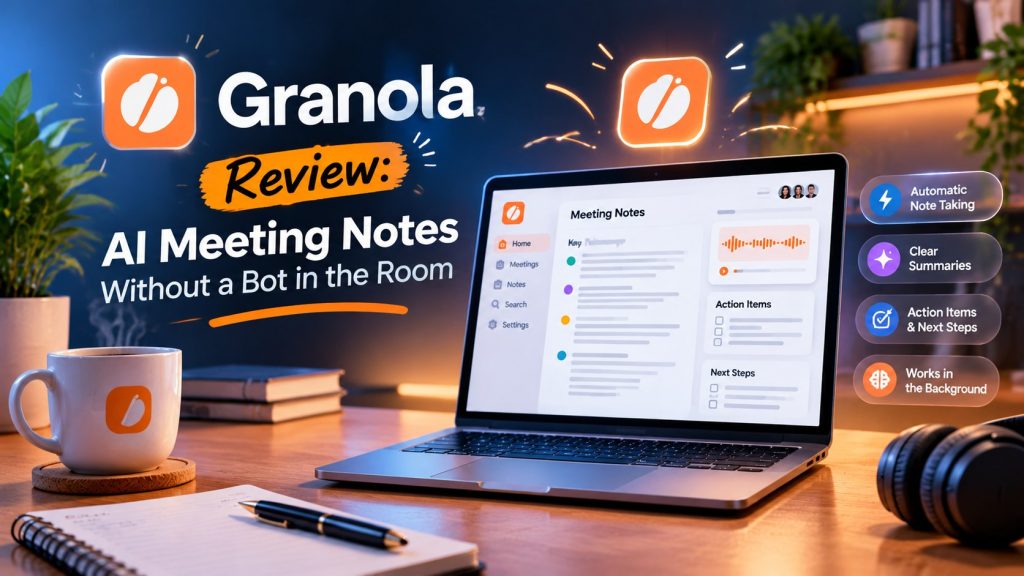
This Granola review starts with the problem most AI note takers create. A few minutes before your call, a bot with a name like Recorder asks to join, and everyone on the call can see it sitting in the attendee list. People behave differently when a stranger’s software is visibly listening. Some go quiet, some perform, and client calls in particular can turn stiff before anyone has said anything useful.
Granola takes a different route. It is an AI notepad that captures audio on your own device, from your microphone and your computer’s sound output, so no bot ever joins the meeting. As far as the other people on the call are concerned, there is no note taker in the room at all.
The second idea is just as important. During the call, you jot rough notes in Granola the way you would in a paper notebook. Afterwards, Granola uses the transcript of what was actually said to expand those rough notes into a clean, structured summary. Your notes point at what mattered; the AI does the tidying.
Quick verdict
Best for: anyone in back-to-back calls who dislikes recorder bots and wants their own notes to shape the summary. Price: free to start, then $14 per user per month for the Business plan. The one catch: the free plan only keeps your last 30 days of meeting history unlocked. This Granola review covers what it does, what it costs, and where the free plan stops.
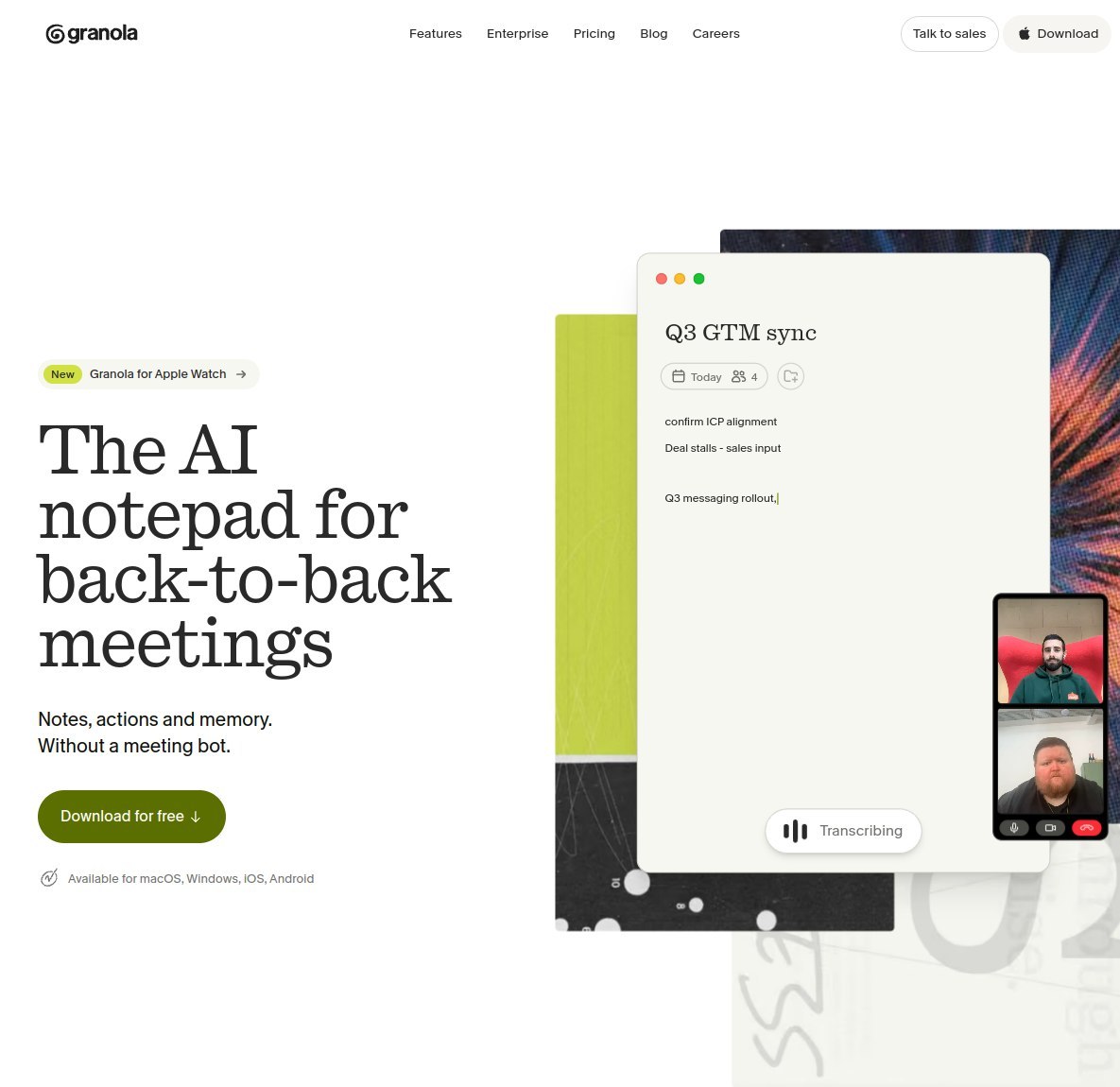
Granola review: what it actually does
Granola calls itself an AI notepad for meetings, and the word notepad is doing real work. The app sits on your computer or phone and listens to the call from your side of it. It captures your microphone and the system audio, meaning the voices coming through your speakers or headphones. Because nothing joins the call as a participant, there is no extra guest in the attendee list and nothing for the meeting host to admit.
There is also no calendar bot to manage. Bot based tools usually need deep calendar access and work by sending a participant into every meeting on your schedule. Granola just needs the app open on the device you are calling from.
That design means Granola works with Zoom, Google Meet and Microsoft Teams, and also with any other platform you happen to use. If the sound reaches your device, Granola can capture it. Apps are available for macOS, Windows, iOS and Android, so the same account covers your desk setup and your phone.
While the call runs, you type into a simple note page, exactly as you would in any notes app. Short fragments are fine: a name, a number, half a sentence about a deadline. When the meeting ends, Granola combines your notes with the transcript and produces an expanded version, with the structure filled in and the details pulled from what was actually said. Your bullet points stay yours; the padding around them comes from the recording.
The order of those two ingredients matters. Your fragments come first, so the finished note leads with the things you flagged in the moment rather than whatever the AI found easiest to summarize. A figure you scribbled down stays prominent; a topic you ignored stays in the background. That is a different output from the fully automatic summaries most rivals produce, where every call gets much the same treatment whether it mattered to you or not.
Around that core loop, Granola adds note templates for common meeting types, so summaries come out in a consistent shape. There is also an AI chat you can ask questions of. The chat works across a single meeting or across your whole history, which is the difference between asking what one client said about pricing and asking what clients have told you about pricing all quarter. Shared folders let a team pool notes from the same deal or project in one place.
Key features that matter
The feature list is shorter than some rivals advertise, and most of it earns its place.
- Templates and recipes. Ready made note templates shape the summary for common meeting types, and recipes let you repeat the same structure every time, so a weekly call always produces notes in the same format.
- AI chat across meetings. Ask questions against one call or your entire history and get answers drawn from your own transcripts. This is the feature that turns a pile of notes into something you can actually search with questions.
- Integrations on the paid plan. The Business plan adds Slack, Notion, HubSpot, Attio, Affinity and Zapier, so summaries can flow into the tools a team already uses. MCP and API access are included for custom setups.
- Privacy basics. Granola states SOC 2 Type II compliance, and a model training opt out exists for your data. None of that removes your own obligations: you still have to tell participants you are taking notes, and consent laws still apply wherever you and they are based.
What is missing is just as telling. Granola focuses on the note itself rather than on call scoring and team analytics. For some buyers that focus is the whole appeal; for others it is a reason to look elsewhere, which the section on who should skip it covers below.
As far as the other people on the call are concerned, there is no note taker in the room at all.
Granola pricing, checked October 2026
Granola keeps pricing unusually simple: three plans, published on its site, with no need to talk to a sales team for the first two. The figures below come from Granola’s official pricing page, checked in October 2026.
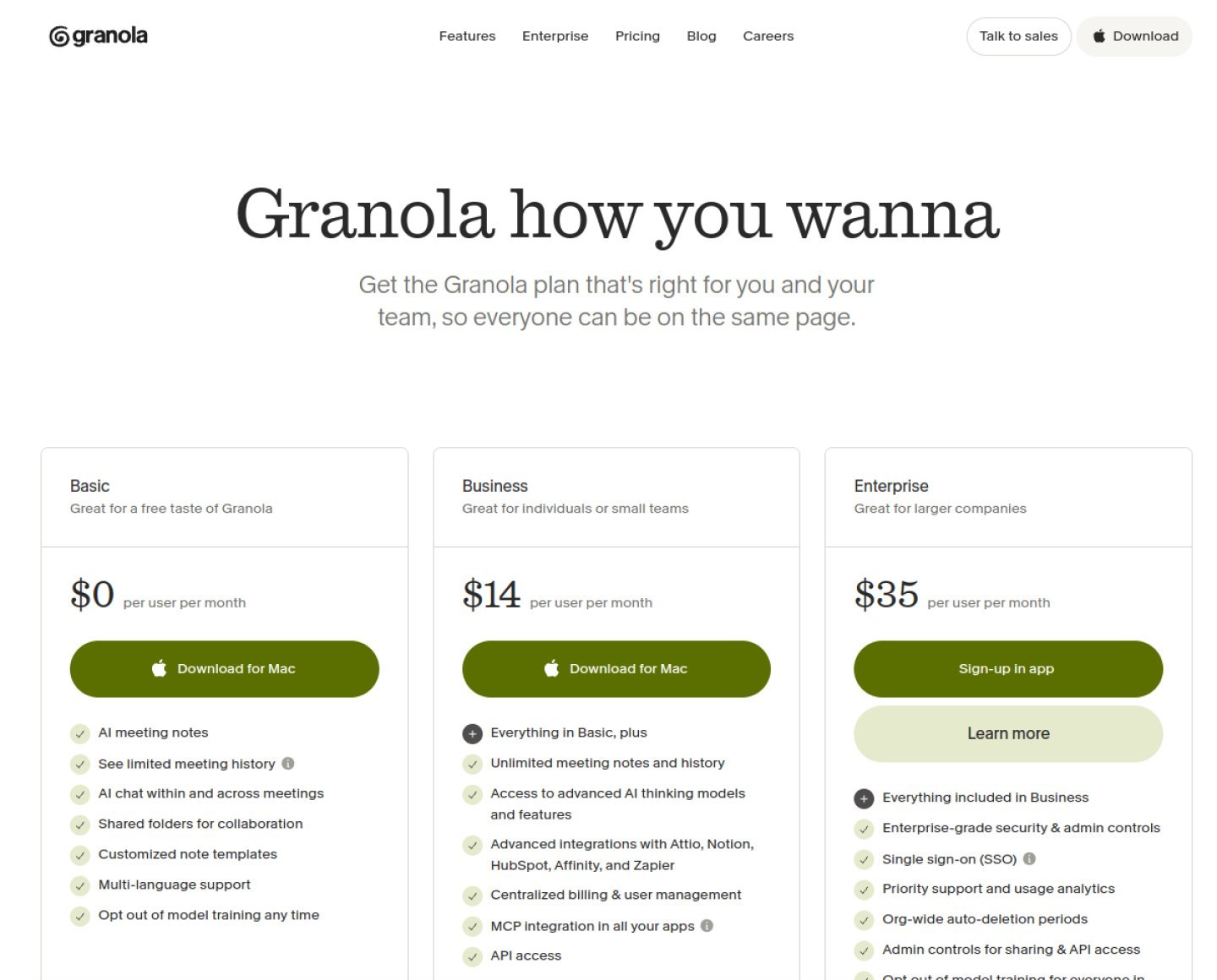
| Plan | Price | What you get |
|---|---|---|
| Basic | $0 | AI meeting notes, AI chat, shared folders, custom templates and multi language support. Meeting history is limited to the last 30 days; older notes are locked rather than deleted. |
| Business | $14 per user per month | Unlimited notes and unlimited history, advanced AI models, integrations with Slack, Notion, HubSpot, Attio, Affinity and Zapier, MCP and API access, and centralized billing. |
| Enterprise | $35 per user per month | SSO, SCIM, admin controls, organization wide auto deletion, HIPAA compliant workspaces, usage analytics and priority support. |
Which tier fits whom is straightforward. Basic is a proper trial that can quietly become permanent if your calls only matter for a few weeks anyway. Business is the tier most individuals will land on, because unlimited history and the integrations are what make notes grow in value over time. Enterprise is aimed at organizations with compliance needs, not at individuals, and its feature list reads that way.
One honest note: Granola publishes no annual discount, so the monthly price is the real price. There is no cheaper yearly tier hiding behind a billing toggle.
Run the numbers for a single seat and the picture stays friendly. Business for one person is $14 a month, which is $168 for a full year. Enterprise for one seat is $35 a month, or $420 a year. For a tool that sits in every call you take, $168 a year is easy to justify if the summaries save you even a few minutes of write up per meeting.
Scale that to a small team and it stays predictable. Five people on Business pay $70 a month, which is $840 a year, and the per user model means the bill grows in a straight line with headcount. There are no platform fees or add on charges in the published pricing to catch you out later.
The free plan’s one real limit
The Basic plan is generous in most directions. You get the AI notes, the chat, shared folders, custom templates and multi language support, and there is no cap on how many meetings you can capture. The limit sits somewhere else: your history.
On the free plan, only the last 30 days of meetings stay open. Think of the window as a rolling month: every new meeting pushes the oldest free one behind the lock. Anything older than 30 days is locked, not deleted. The notes still exist, and upgrading unlocks them again, but on the free tier you cannot read a summary from two months ago.
For trying Granola out, that hardly matters. A month of real meetings is enough to know whether the summaries work for you. It also matters little if you only ever revisit recent calls, which is how many people use meeting notes. But the moment you want a searchable archive of everything a client has ever told you, the free plan stops being enough. That archive is the real product Granola sells at $14.
What we like
- No bot joins the call, so meetings stay natural
- Your own rough notes steer the summary, which keeps it relevant
- The free plan covers the full core experience, not a crippled demo
- Published pricing is simple, with no sales call needed for Business
- Apps for macOS, Windows, iOS and Android
What to watch
- Free plan locks meeting history after 30 days
- No annual discount, so there is no way to cut the $14 price
- Enterprise jumps steeply to $35 per user per month
- Fewer team analytics than bot based rivals that score every call
Who should buy Granola, and who should skip it
Buy Granola if your week is a string of client and team calls and the visible recorder bot has always bothered you, or bothered the people you meet with. It also suits anyone who already takes rough notes by hand and wants those notes, rather than a generic template, to decide what the summary emphasizes. Founders, consultants, account managers and recruiters are the obvious fit: people whose calls are the work, and whose follow ups matter.
Plenty of those follow ups end up in a CRM. If you are choosing one as a one person business, our guide to the best CRM for solopreneurs compares six options on price and admin load.
Skip Granola if you need a free tool whose history never locks. Fathom’s free plan keeps your recordings available without the 30 day window, but a bot joins your calls to do it, which is exactly the trade off Granola exists to avoid. Skip it too if what you really want is team coaching analytics: call scoring, talk ratios and manager dashboards across a whole sales team. That is the ground Fireflies and Otter were built on, and Granola deliberately does not compete there.
How this review was checked
Prices and plan details in this review come from Granola’s official pricing page, checked in October 2026. Nothing here is copied from other reviews. The score is editorial: it is based on the strength of the free plan, the one seat price, and how much setup the tool demands before it becomes useful.
Our verdict
Granola earns 8.7 because it removes the most awkward part of AI meeting notes, the bot sitting in your call, without asking you to give up the useful parts. The free plan is a genuine trial of the whole idea, the summaries follow your own notes, and $14 a month is a fair price for an unlimited archive once the 30 day window starts to pinch.
Granola
The cleanest way to get AI meeting notes: no bot joins your calls, a genuinely useful free plan, and one simple paid tier at $14.
Visit Granola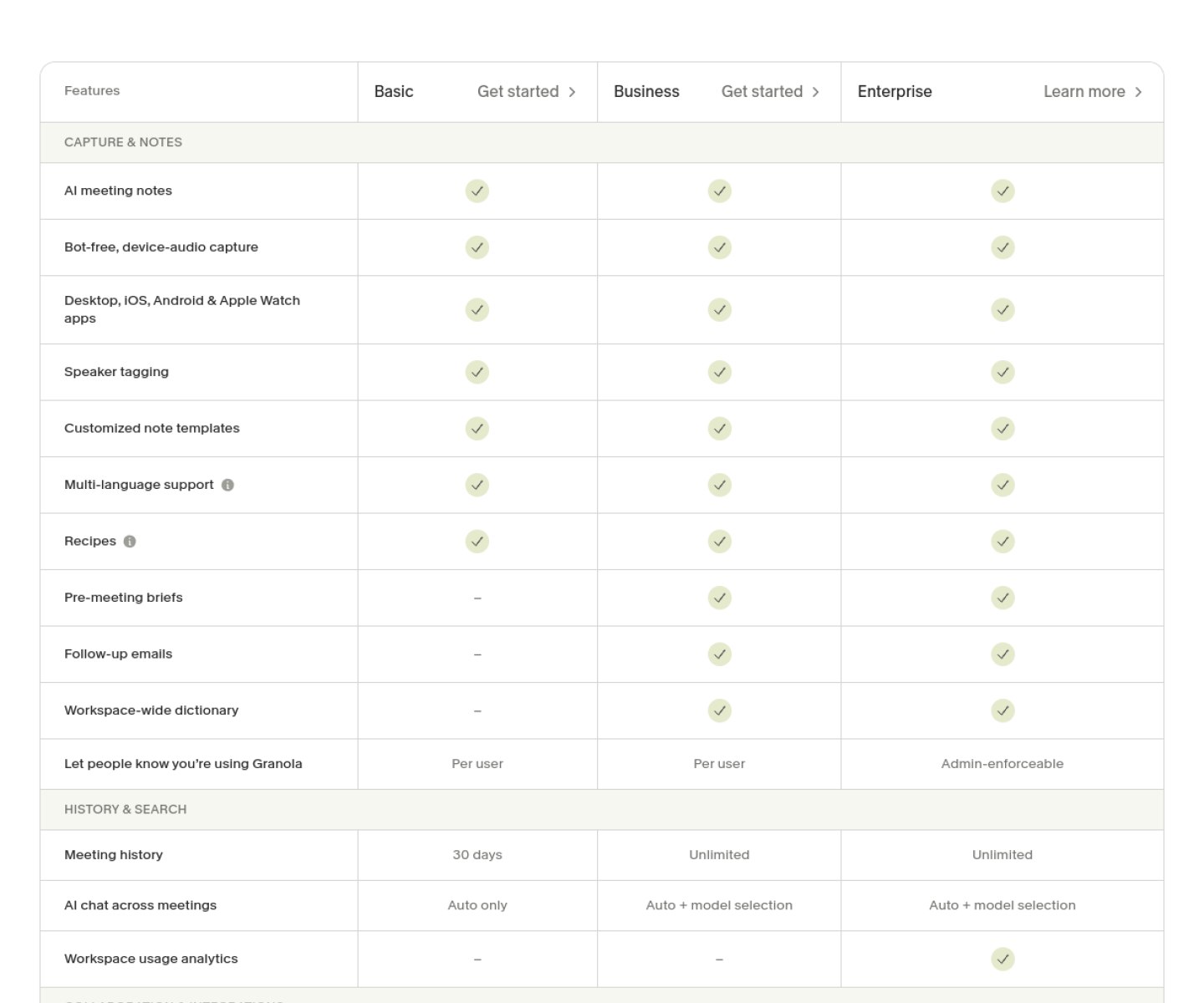
Frequently asked questions
Is Granola free?
Yes. The Basic plan costs nothing and includes AI meeting notes, AI chat, shared folders and custom templates. Its one limit is history: only your last 30 days of meetings stay open, and older notes are locked until you upgrade.
Does a bot join my meetings with Granola?
No. Granola captures audio on your own device, from your microphone and your system sound, so no bot ever appears in the attendee list. You should still tell participants you are taking notes, because consent rules are your responsibility, not the app’s.
How much is Granola Business for one person for a year?
$168. Business is $14 per user per month, and Granola offers no annual discount, so twelve months at $14 is the full story. Enterprise, by the same math, is $420 per seat per year.
Does Granola work with Zoom and Teams?
Yes, and with Google Meet and anything else you use. Because it records device audio rather than joining the call, the platform does not matter. You can run it on a Mac or Windows computer, or on an iPhone or Android phone.
Granola sits in our AI meeting tools category alongside the other note takers we track, so start there if you want to compare it with the rest of the field.
2 comments